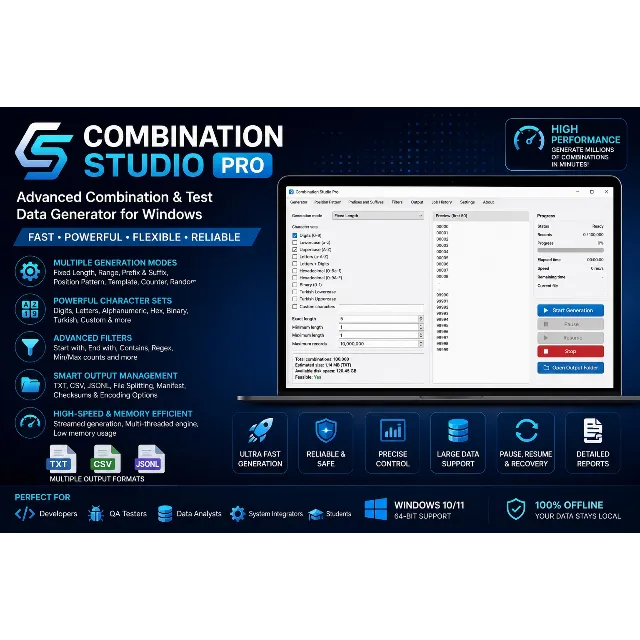
Combination Studio Pro is a professional Windows desktop application designed to generate structured character combinations and large-scale test datasets.
Create numeric sequences, alphabetical combinations, alphanumeric identifiers, hexadecimal values, binary strings, coupon codes, serial numbers, and custom character combinations using a fast, memory-efficient generation engine.
The application streams data directly to disk, allowing very large datasets to be generated without loading everything into memory.
Key Features Multiple Generation Modes Fixed Length Generation Length Range Generation Prefix & Suffix Generation Position Pattern Generator Template-Based Generation Sequential Counter Generator Random Unique Identifier Generator Character Sets
Generate combinations using:
Digits (0–9) Lowercase letters Uppercase letters Mixed case letters Letters + Digits Hexadecimal Binary Turkish alphabet Custom character sets
Combine multiple character groups or define your own custom character set.
Generate only values that match your requirements.
Available filters include:
Starts with Ends with Contains Excludes Minimum digits Minimum letters Uppercase count Lowercase count Symbol count Maximum repeated characters Regular expression filtering Output Formats
Export directly to:
TXT CSV JSON Lines (JSONL)
Additional options include:
UTF-8 UTF-8 BOM LF / CRLF line endings File splitting Output manifests SHA-256 checksum generation Large Dataset Support
Designed for extremely large generation jobs.
Features include:
Buffered streaming Low memory usage Progress monitoring Pause Resume Safe cancellation Recovery after interruption Automatic file splitting Performance Multi-threaded generation Responsive user interface Streaming output engine Millions of generated records Optimized disk writing Deterministic generation Professional Interface
Modern desktop interface including:
Live combination counter Estimated output size Disk space verification Progress tracking Job history Preview mode Settings manager Output manager Typical Use Cases Software testing QA automation Database testing API testing Identifier generation Coupon code generation Serial number generation PIN dataset generation Demo data creation Educational projects What's Included Windows Executable (.exe) User Guide Future updates (optional) Technical support (optional) System Requirements Windows 10 / Windows 11 64-bit Operating System 4 GB RAM minimum SSD recommended for large datasets Why Choose Combination Studio Pro?
✔ Professional desktop application
✔ Fast generation engine
✔ Memory-efficient streaming
✔ Highly configurable
✔ Modern interface
✔ Large dataset support
✔ Multiple export formats
✔ Regular updates For Source Code Users
The source-code version requires:
Python 3.12 or newer pip PySide6 psutil platformdirs
pyinstaller --noconfirm --clean --windowed --name "Combination Studio Pro" main.py
The compiled application will be created inside:
dist\
For a single executable file:
pyinstaller --noconfirm --clean --onefile --windowed --name "Combination Studio Pro" main.py
For a PySide6 application, the folder-based build is generally more reliable:
pyinstaller --noconfirm --clean --windowed --name "Combination Studio Pro" main.py Installation Information for the Product Listing Installation
The precompiled Windows edition requires no technical installation.
Download the ZIP package. Extract all files to a folder. Run Combination Studio Pro.exe. Select an output directory. Configure the generation settings. Preview the results and start the generation job.
Do not run the executable directly from inside the ZIP archive.
Included Files Combination Studio Pro/ ├── Combination Studio Pro.exe ├── User Guide.pdf ├── README.txt ├── LICENSE.txt └── Third-Party Licenses/ Important Note
Keep all files included in the application folder together. Moving only the .exe file may prevent the application from starting if the software was distributed as a folder-based build.